
How to Run Qwen 3.8 27B on Kubernetes with KServe
A complete KServe setup for Qwen3.8 27B, including a reusable vLLM runtime, BF16 and FP8 deployment settings, H100 NVL validation, and the most important tuning knobs.
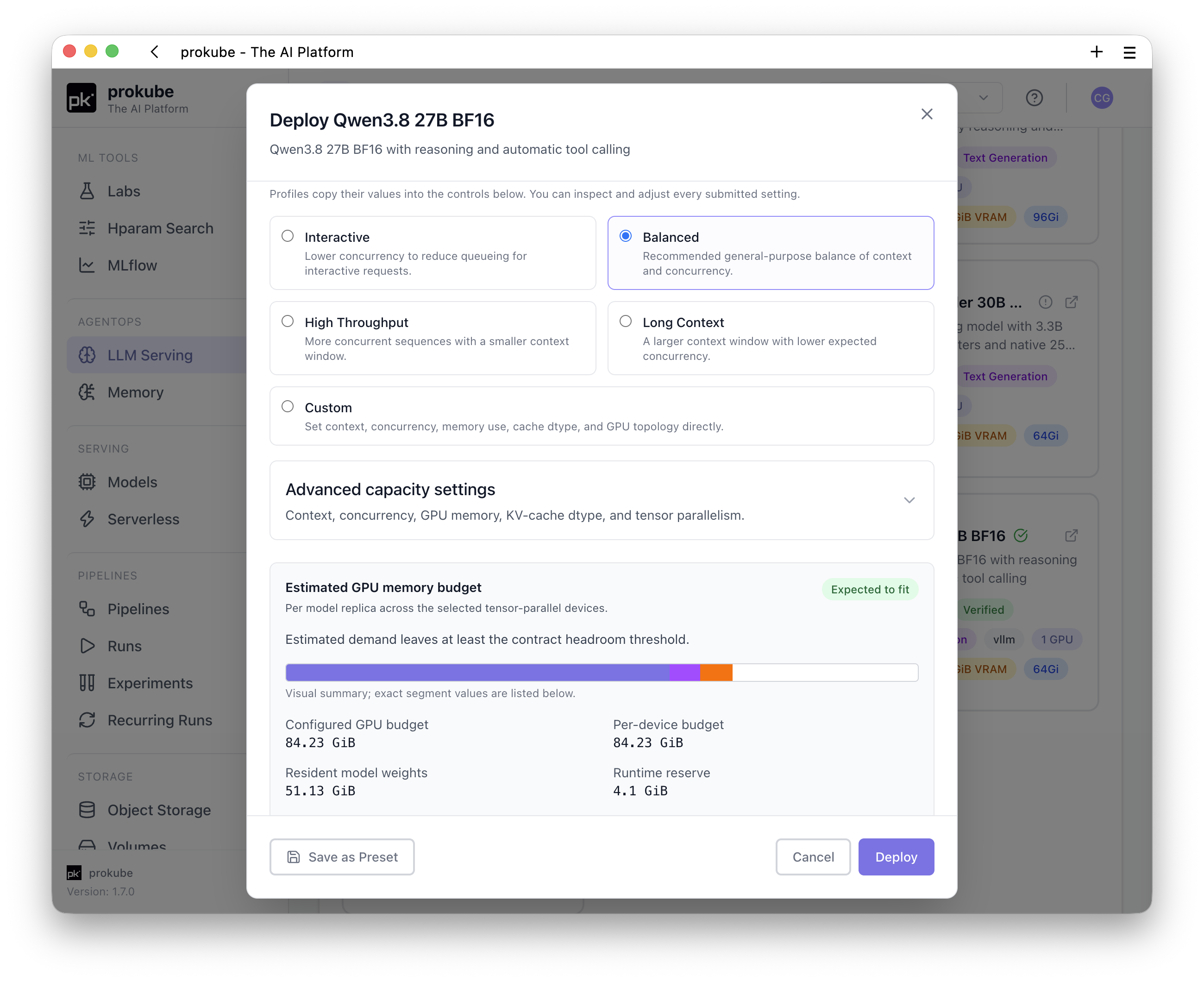
If you follow the open-weights model scene, you probably noticed that Qwen3.8 27B was released last weekend. It hits a sweet spot where it can realistically be run on premises (although BF16 and FP8 are probably still out of reach for hobbyists), but offers much better performance than Qwen3.6 27B, released four months ago. It even supposedly beats Opus 4.6 Max in some benchmarks. I'm somewhat skeptical of that claim, but haven't tested it enough myself yet to have a fully formed opinion.
Anyway, we immediately went to work and deployed it, together with its FP8 variant on prokube, as usual on top of vLLM and KServe.
Compared to when Gemma 4 was released, we don't need to create a custom runtime image, as stable vLLM 0.27.1 already supports Qwen3.8. Rather than relying on our existing generic runtimes, we added an explicit ClusterServingRuntime definition and new model-specific presets.
This ClusterServingRuntime works for both the BF16 and FP8 variants of
Qwen3.8 27B:
apiVersion: serving.kserve.io/v1alpha1
kind: ClusterServingRuntime
metadata:
  name: vllm-openai-v0271
spec:
  annotations:
    prometheus.kserve.io/path: /metrics
    prometheus.kserve.io/port: "8080"
  containers:
    - name: kserve-container
      # This pins the image to vLLM 0.27.1.
      image: docker.io/vllm/vllm-openai@sha256:0a51ea5b4ae2dc5d81890e5173f54203d2a3ae0cfffe51b8fd2afd4391bfd967
      command:
        - vllm
        - serve
      args:
        - /mnt/models
        - --port=8080
        - --served-model-name={{.Name}}
        - --root-path=/openai
      env:
        - name: VLLM_ENABLE_CUDA_COMPATIBILITY
          value: "1"
        - name: HOME
          value: /tmp
        - name: HF_HOME
          value: /tmp/huggingface
        - name: VLLM_CACHE_ROOT
          value: /tmp/vllm
        - name: XDG_CACHE_HOME
          value: /tmp/.cache
      securityContext:
        allowPrivilegeEscalation: false
        capabilities:
          drop:
            - ALL
        privileged: false
        runAsGroup: 2000
        runAsNonRoot: true
        runAsUser: 2000
      volumeMounts:
        - name: devshm
          mountPath: /dev/shm
  hostIPC: false
  protocolVersions:
    - v2
    - v1
  supportedModelFormats:
    - autoSelect: false
      name: vllm
      priority: 1
      version: "1"
  volumes:
    - name: devshm
      emptyDir:
        medium: Memory
        sizeLimit: 16Gi
The key points are using vLLM 0.27.1 and configuring /mnt/models, KServe's
/openai root path, writable cache directories, non-root execution, and
/dev/shm.
To make sure the storage initializer can actually download the model, we increased its default memory request from 100 MiB to 2 GiB and its limit from 1 GiB to 8 GiB. The default 1 GiB limit runs out of memory easily while resolving and downloading the sharded BF16 checkpoint; 8 GiB was sufficient in our tests. This change is primarily relevant when loading directly from Hugging Face. A PVC can avoid this download path, while S3 still uses the storage initializer and may require similar tuning depending on how the model is packaged. Stay tuned for a blog post on optimizing the initialization of large models in KServe from PVCs or S3.
We can then deploy the BF16 variant with the following complete
InferenceService on NVIDIA H100 NVL or H200 GPUs:
apiVersion: serving.kserve.io/v1beta1
kind: InferenceService
metadata:
  name: qwen38-27b-bf16
  labels:
    prokube.ai/model-type: text-generation
  annotations:
    huggingface.co/model-id: Qwen/Qwen3.8-27B
    prokube.ai/serving-protocol: openai-v1
spec:
  predictor:
    minReplicas: 1
    maxReplicas: 1
    model:
      runtime: vllm-openai-v0271
      modelFormat:
        name: vllm
      storageUri: hf://Qwen/Qwen3.8-27B
      args:
        - --max-model-len=65536
        - --max-num-seqs=256
        - --gpu-memory-utilization=0.9
        - --dtype=bfloat16
        - --kv-cache-dtype=fp8
        - --reasoning-parser=qwen3
        - --enable-prefix-caching
        - --enable-chunked-prefill
        - --enable-auto-tool-choice
        - --tool-call-parser=qwen3_coder
      resources:
        requests:
          cpu: "8"
          memory: 64Gi
        limits:
          cpu: "16"
          memory: 96Gi
          nvidia.com/gpu: "1"
The accelerator resource name depends on how the NVIDIA device plugin exposes
the GPU. nvidia.com/gpu is correct for a full GPU. Our H200 test used a
full-size MIG device, for which the resource limit instead was:
nvidia.com/mig-7g.141gb: "1"If you have an H100 NVL, it might look more like nvidia.com/mig-7g.94gb: "1"
instead (an 80 GB H100 would be nvidia.com/mig-7g.80gb: "1"), but use the
exact MIG configuration you have set up.
Our runtime definition already supplies --served-model-name and --root-path,
so they should not be repeated in the InferenceService (and also not changed). For the
FP8 variant, use
Qwen/Qwen3.8-27B-FP8 as the model ID and storageUri; the FP8 KV-cache setting
remains the same, but you can reduce the memory request and limit to 32 GiB
and 64 GiB respectively.
One easy-to-miss detail is the tool-call parser. With the commonly used
hermes parser, the request succeeded, but Qwen's tool call remained as raw XML
in message.content; OpenAI-compatible clients therefore saw no tool call at
all. Switching to qwen3_coder produces a proper message.tool_calls array
with valid JSON arguments and finish_reason: "tool_calls". Together with
--reasoning-parser=qwen3, this gave us structured reasoning and tool calls
instead of model-specific markup leaking into the response.
Tuning knobs
Some settings in the example are worth tuning for your exact workload, but the defaults above are a good starting point.
Context length is not concurrency. --max-model-len limits the length of an
individual request; lowering it does not directly allocate more KV cache or
automatically increase parallelism. It can still protect a shared endpoint from
single requests consuming most of the cache. We use 65,536 as a balanced
default for typical chat and agent workloads, but also validated the same
BF16 weights and FP8 KV-cache configuration with the model's native 262,144-token
context on an H100 NVL. --max-num-seqs is the direct concurrency control.
--max-num-seqs: controls how many sequences vLLM can process concurrently. Qwen's hybrid architecture allocates recurrent state per sequence, so the vLLM default of 1,024 did not fit on our 94 GB H100 NVL. 256 worked for both the H100 NVL and H200; increase it only after checking the available cache blocks.--gpu-memory-utilization: 0.9 leaves some operational headroom. A higher value creates more cache capacity, while a lower value is safer when other processes use the GPU or you observe memory spikes.- BF16 versus FP8: BF16 avoids weight quantization; FP8 leaves more GPU memory for context and concurrent requests. An FP8 KV cache can also be combined with BF16 weights when cache capacity matters more than maximum precision.
- Prefix caching and chunked prefill: keep them enabled for shared system prompts and mixed long/short workloads. Prefix caching for Qwen's Mamba layers currently uses vLLM's experimental alignment mode, so it is also a useful setting to disable temporarily when investigating cache-related issues.
Reasoning consumes output tokens before the final answer is generated. For
reasoning-heavy requests, avoid a small client-side max_tokens limit: in our
tests 4,096 tokens could result in reasoning without a final answer, while
16,384 allowed the same request to complete.
The Qwen parsers are compatibility settings rather than something to mess with.
Keep qwen3 and qwen3_coder if you need structured reasoning and tool calls.
Shameless Plug
The latest prokube release candidate contains everything you need, including the new runtime image and presets for Qwen3.8 27B in BF16 and FP8, plus a simple way to tune for your expected workload profile. Ping us if you want access to the latest release candidate.